Challenger Comics Viewer
The ChallengerComics
3.8700.00 Reviews
- Version
- Varies With Device
- Installs
- 1.00M
- Age Rating
- Everyone
Screenshots
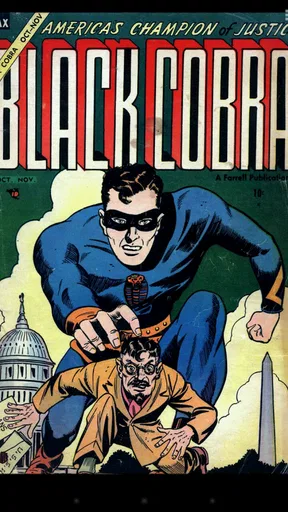
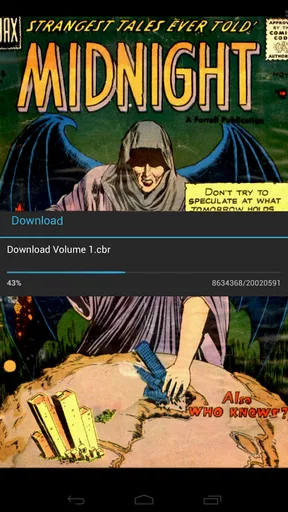
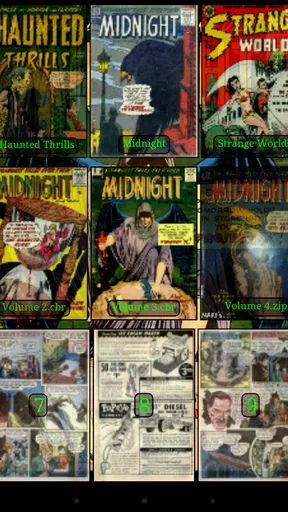
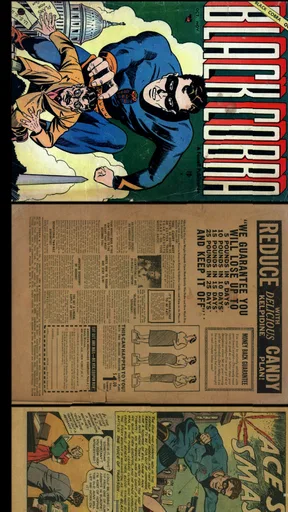
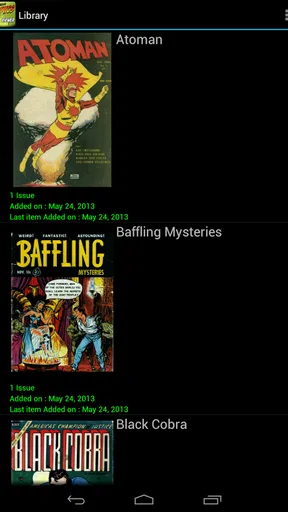
Our Review of Challenger Comics Viewer
 Analysis by Appyee
I spent time with Challenger Comics Viewer as a practical reading app rather than treating it like a simple file opener. It is designed for people who already keep comics, manga, or illustrated documents on their device and want one place to read them. The main attraction is its broad format support: PDF, ePUB, CBR, CBZ, CBT, CB7, JPG, PNG, BMP, and GIF files can all fit into the same reading workflow.
That makes it more interesting than a typical comic app tied to one catalog or one publisher. You bring your own files, open them in the viewer, and read them on an Android device. The app is free, carries an Everyone age rating, and works on devices running Android 5.0 or later. In my experience, that combination gives it a clear purpose: it is a flexible reader for an existing personal collection, not a storefront for discovering or purchasing new comics.
How Challenger Comics Viewer feels in everyday use
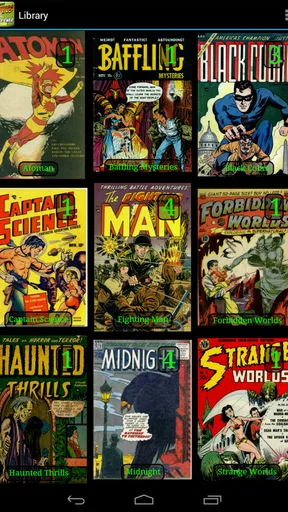
The first thing I noticed is that the app’s value depends heavily on the way you organize your files. If your comics are already stored locally and named sensibly, the viewer can become a convenient shelf for several formats. If your collection is scattered across folders, cloud services, email attachments, and downloads, the app does not magically solve that organization problem. It reads the files you make available to it, so a little preparation pays off.
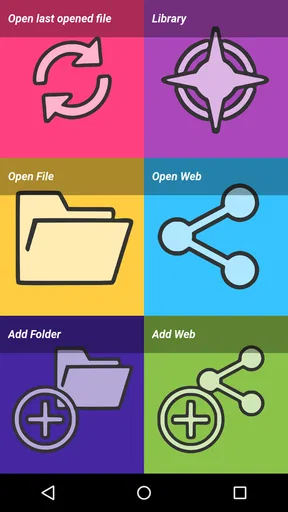
For a normal evening session, the workflow is straightforward. I would place a few issues or graphic novels on the phone, open the viewer, choose a file, and read without needing a separate application for each extension. That is especially useful when a collection mixes comic-book archives with image folders or the occasional PDF. Instead of remembering which reader handles which file, I can start with one app and see whether the document opens there.
The format range is the strongest practical feature. CBR, CBZ, CBT, and CB7 are familiar archive-based comic formats, while PDF and ePUB cover documents that are often handled by general-purpose reading apps. Image support is useful for scanned pages saved individually, although a folder full of loose images requires more discipline than a single packaged comic. The important distinction is that this is a viewer, not a service that supplies content.
That difference also answers a question many first-time users have: does installing it give you comics to read? No. The app’s role is to open compatible files that you already have permission to use. The free price therefore applies to the reader itself, not to the acquisition of books, subscriptions, or a built-in catalog. If you want an app that recommends series, sells issues, or synchronizes a publisher library, this is the wrong category of tool.
Reading different file types without changing apps
Mixed collections are where I see the clearest advantage. A reader who has a few ePUB graphic novels, some CBZ archives, and scanned pages as JPG files can keep those materials in one reading environment. That is a more meaningful benefit than simply counting supported extensions, because switching apps often means learning different controls and remembering different locations for the same collection.
There is a useful trade-off here. Broad compatibility reduces app switching, but it does not guarantee that every file will feel equally comfortable to read. A comic packaged as page images has different needs from a text-heavy ePUB, and a PDF may behave differently again. I would judge the app primarily as a practical comic and image viewer, while treating its support for document formats as a bonus rather than expecting the polish of a dedicated e-book reader for every kind of ePUB.
For a commuter, the workflow can be simple: before leaving home, copy a small selection of legally obtained files to the phone, then read during a journey without depending on a comic marketplace. For a student or researcher working with illustrated PDFs, the same approach can be useful. The app is also a reasonable choice for someone who has converted older comics into image archives and does not want to rebuild the collection in a proprietary format.
Small workflow choices that make a difference
One practical tip is to test a representative file from each format you actually use before moving an entire library. A CBZ collection may behave perfectly for your needs while a particular ePUB or image folder may be less convenient. This quick test prevents the common mistake of choosing a reader based only on a long compatibility list.
A second tip is to keep a consistent naming scheme for series and issues. Because the app is working with your files rather than a managed store catalog, names and folders become the substitute for publisher metadata. Separating series, volumes, and special editions makes the viewer much easier to use over time. This is not a glamorous feature, but it has more effect on daily comfort than installing another reader.
A third useful habit is to keep image-based collections in reading order. Loose JPG or PNG pages can be perfectly serviceable, but an incorrectly named page can interrupt the story. Archive formats usually make the intended sequence clearer, so readers with large scanned collections may find it worthwhile to package pages consistently before importing them.
These are not reasons to blame the app; they are consequences of choosing a file-based reader. The advantage is control. The cost is that you take responsibility for the library structure that a commercial comic service would normally manage for you.
What the app is not trying to be
Challenger Comics Viewer is not a replacement for a publisher’s official app when you care about licensed discovery, account-based purchases, or a curated reading catalog. It also is not the obvious first choice for someone who reads mostly ordinary novels and wants advanced book-management tools. Its identity is much narrower and clearer: open personal comic files in a range of common formats.
That focus can be refreshing. There is no need to search through a store interface when the file is already on the device. It also avoids tying your reading habits to one content provider. On the other hand, readers who expect automatic recommendations, cloud libraries, or a polished ecosystem may find the experience more manual than modern subscription apps.
The developer behind it is The Challenger, and the app has been available since December 12, 2011. Its long presence helps explain why it remains relevant to a particular group of readers: people who value format flexibility and compatibility with older Android hardware more than a fashionable storefront experience.
Value, limitations, and the right reader for it
The value proposition is easy to understand because the app itself is free. You are not deciding whether its purchase price is worth it; you are deciding whether a no-cost viewer is useful enough to justify adding another tool to your phone. Since the app does not provide comics, the total cost of using it still depends on how you obtain your files, but the reader does not add a purchase barrier of its own.
That makes it attractive for a few specific situations. If you already own digital comics in several formats, the app can consolidate them. If you have archived scans, it can be more convenient than opening individual images one at a time. If you use an older Android phone that meets the Android 5.0 requirement, compatibility may matter more than access to the newest commercial reading features.
The public response suggests a reasonably established user base: the app has passed one million installs, with an average rating of 3.8 from around twenty-two thousand ratings. I would read those figures as evidence of sustained interest rather than a guarantee that every reader will love the interface. The rating is solid but not exceptional, which fits an app whose usefulness can vary greatly depending on file organization, device, and personal expectations.
There are also roughly seven hundred written reviews, enough to show that people have had specific experiences with it rather than merely tapping a rating. I would still avoid treating the number as a promise of flawless compatibility. A viewer can support a format in principle while a particular file, scan, layout, or reading habit exposes a limitation.
The most important friction is the manual nature of the experience. You need to manage your own files, decide how to arrange them, and understand where the phone stores them. Someone who wants to press a title in a catalog and start reading will likely find a dedicated comic marketplace easier. Someone who wants independence from a catalog may see that same manual step as a benefit.
Another trade-off is the difference between broad support and specialized polish. Supporting PDF, ePUB, comic archives, and common image formats is convenient, but one application cannot necessarily offer the best experience for every format. A dedicated PDF reader may be preferable for document-heavy work, while a specialized e-book app may handle text-focused ePUB reading more naturally. I would choose Challenger Comics Viewer when comics and image pages are central, not simply because it lists many extensions.
Screen size also affects the decision. On a larger phone or tablet, page-based comics are naturally easier to enjoy. On a small phone, reading may require more zooming or repositioning, especially for pages with dense lettering. The app’s format flexibility cannot remove the physical limits of a compact display. If your main concern is comfortable reading on a particular device, test one of your busiest pages before committing your whole collection.
For families, the Everyone rating makes the app broadly suitable from an age-classification perspective, but that does not mean every file opened through it is appropriate for every reader. The viewer displays user-supplied material, so parents should manage the collection itself rather than assuming the rating describes the content of every comic stored on the device.
I also think the app suits collectors who care about ownership and portability. A personal archive can remain organized around files instead of accounts or a single store. That is valuable when you move between devices or maintain comics from different sources. The downside is that portability is only as tidy as your backup and folder habits. The app can read your collection, but it does not replace a sensible archive strategy.
For a realistic example, imagine someone who has a weekend reading list made up of a CBZ issue, a PDF art book, and several scanned PNG pages. With a conventional setup, that person might use multiple apps and remember where each item was saved. Here, one viewer can be the first place to try them all. The benefit is not dramatic technology; it is the reduced friction of handling a mixed personal library.
By contrast, imagine a reader who discovers comics through recommendations, buys individual issues inside an official service, and expects reading progress to follow them automatically across devices. This app would not be my recommendation for that person. The file-based approach is solving a different problem, and no amount of format support makes it a full replacement for a connected comic platform.
My advice is to install it when your collection already exists outside a store and includes more than one file type. Start with a handful of files, check the reading experience on your usual screen, and organize the folders before importing everything. If that trial feels natural, the free access makes the decision easy. If you are looking for content discovery, purchases, or a managed subscription library, spend your time comparing dedicated services instead.
After using it, I see Challenger Comics Viewer as a practical specialist rather than an all-purpose comic ecosystem. Its strongest quality is the freedom to read a varied personal collection without paying for the viewer or changing apps whenever the file extension changes. Its weakest point is the responsibility placed on the reader: file management, format-specific expectations, and device comfort all matter.
My recommendation is simple: choose it for flexible local reading, especially when CBR, CBZ, CBT, CB7, PDF, ePUB, and image files coexist in your library. Skip it if your priority is a built-in catalog, guided discovery, or seamless account-based synchronization. For the right reader, the free price and wide compatibility deliver real value; for everyone else, a more specialized or service-based alternative will feel less manual.
Verdict
Strengths of Challenger Comics Viewer
- Supports many comic formats, including CBZ, CBR, PDF, and image folders.
- Offers smooth page navigation with useful zoom and fit-to-screen options.
- Works offline, making your comic library accessible without an internet connection.
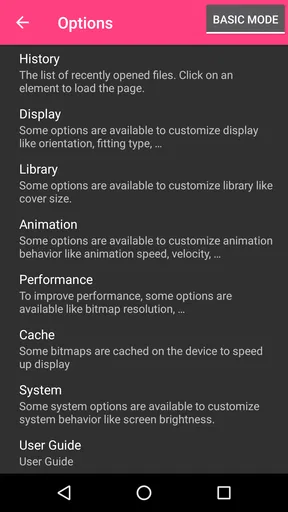
- Includes customizable reading settings for different screen sizes and preferences.
- Lightweight design uses fewer resources than many feature-heavy comic readers.
Limitations of Challenger Comics Viewer
- The interface feels dated and may take time to understand for new users.
- Library organization tools are basic compared with modern comic reader apps.
- Some advanced settings are hidden behind menus and are not clearly explained.
- No built-in comic store or discovery section for finding new titles.
- Initial setup may require manual folder selection and file management.
Similar Picks in This Category
View All
WEBTOON: Manga, Comics, Manhwa
NAVER WEBTOON4.6

MangaToon: Comic & Manga
MangaToon4.3

네이버 웹툰 - Naver Webtoon
NAVER WEBTOON4.3

Tapas – Comics and Novels
Tapas Entertainment Inc.4.2

Lezhin Comics - Daily Releases
LEZHIN ENTERTAINMENT3.3

WebComics - Webtoon & Manga
WEBCOMICS HOLDINGS HK LIMITED4.4
Frequently Asked Questions
What is Challenger Comics Viewer?
Challenger Comics Viewer is an Android comic and manga reading app designed for users who want to open their own digital comic collections. It supports common formats such as CBZ, CBR, PDF, and image folders, allowing you to browse files stored on your device or accessible through compatible storage services. It is primarily a reader, not a store or subscription platform, so you generally need to provide your own legally obtained comics.
Which comic and manga file formats does Challenger Comics Viewer support?
The app is intended to handle several popular digital reading formats, including CBZ and CBR archives, PDF documents, and folders containing comic images. Support and performance can vary depending on the file structure, archive compression, image resolution, and Android device. Before downloading a large collection, it is sensible to test a few representative files, especially if your library includes unusual formats or very high-resolution scans.
Can I read comics stored on cloud services or network locations?
Challenger Comics Viewer can be used with files available through Android storage providers and, depending on your device and setup, network or cloud locations exposed to the system file manager. The exact experience may depend on the Android version, installed storage apps, permissions, and connection quality. For the smoothest reading, downloading files locally is usually preferable, particularly for large comics or when traveling without reliable internet access.
Does Challenger Comics Viewer work offline?
Yes, the app is suitable for offline reading when your comics are stored locally on the Android device or have been downloaded for offline access. This makes it useful for trips, commutes, and places with limited connectivity. Keep in mind that the application itself does not normally provide comic content, so you must transfer or download your files beforehand and ensure you have enough free storage for large archives.
Is Challenger Comics Viewer free, and is it available for iPhone or iPad?
Challenger Comics Viewer is known mainly as an Android comic-reading application, and availability, pricing, and included features may depend on the version distributed through the relevant app store. Users should check the current Google Play listing for advertisements, optional purchases, permissions, and Android compatibility before installing. It is not generally presented as a standard iOS app, so iPhone and iPad users may need a different reader from the App Store.
